Google Pay provides a fast and secure checkout by allowing customers to pay online with cards saved to their Google account. Payments are authenticated directly on the device, so there is no need to manually enter card details. See the benefits of Google Pay, who can offer it, and how to activate it in the Merchant Panel.
Merchant fees for Google Pay payments follow Paytrail pricing. There are no fees for customers paying with Google Pay.
Benefits for the customer
- Fast and secure checkout
- No need to enter card details manually
- Available on Android devices (smartphone, smartwatch, or other compatible device)
- Authentication directly on the device
See how Google Pay works for your customers.
Who can offer Google Pay?
Google Pay is subject to industry-specific restrictions based on Google’s terms. Certain business models and product categories may not be eligible.
Before activating Google Pay, review the payment method specific rules in Paytrail terms and conditions.
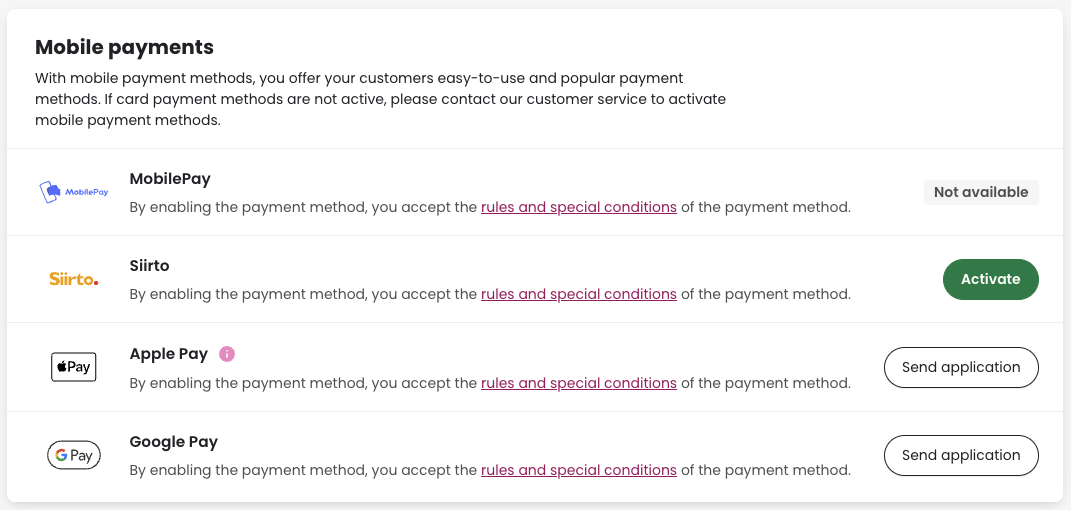
Step-by-step: Activate Google Pay in the Merchant Panel
- Sign in to the Merchant Panel.
- From the left-hand menu, select Payment methods.
- Find Google Pay and click Send application. In some cases, the button may appear as Activate instead. Our team will review your request within a few business days and contact you once the review is complete.