MobilePay provides a fast and secure checkout by allowing customers to pay directly with the MobilePay app. The customer confirms the payment in their MobilePay app, so there is no need to enter card details manually. See the benefits of MobilePay, who can offer it, and how to activate it in the Merchant Panel.
Merchant fees for MobilePay payments follow Paytrail pricing. There are no fees for customers paying with MobilePay.
Benefits for the customer
- No need for customers to enter card details at checkout
- Quick payment confirmation with a swipe in the MobilePay app
- Supports both online and in-store purchases
- Widely used and trusted payment method in Finland
See how MobilePay works for your customers.
Who can offer MobilePay?
To offer MobilePay, card payments must already be active in your Paytrail service.
Mobile payment methods are subject to the Nets acquiring terms and conditions and card scheme rules (Visa, Mastercard, American Express) depending on the card used in the mobile payment app.
Before activating MobilePay, review the applicable terms in the Paytrail terms and conditions.
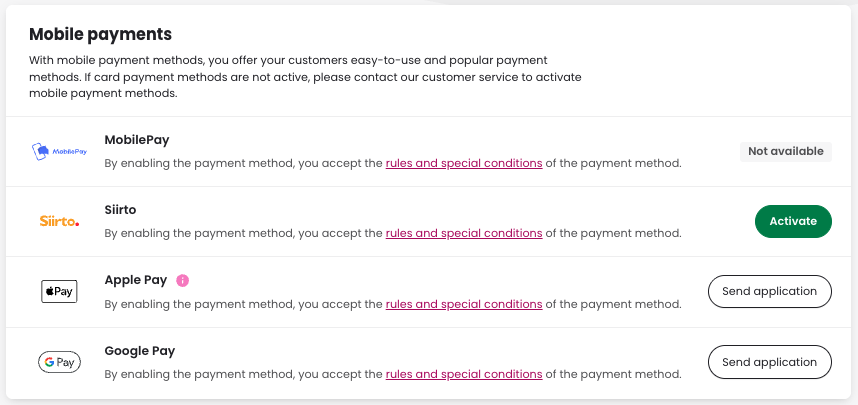
Step-by-step: Activate MobilePay in the Merchant Panel
- Sign in to the Merchant Panel.
- From the left-hand menu, select Payment methods.
- Find MobilePay and click Activate. If card payments are not active, MobilePay will appear as Not available. In this case, contact our customer service team to check your payment method setup.