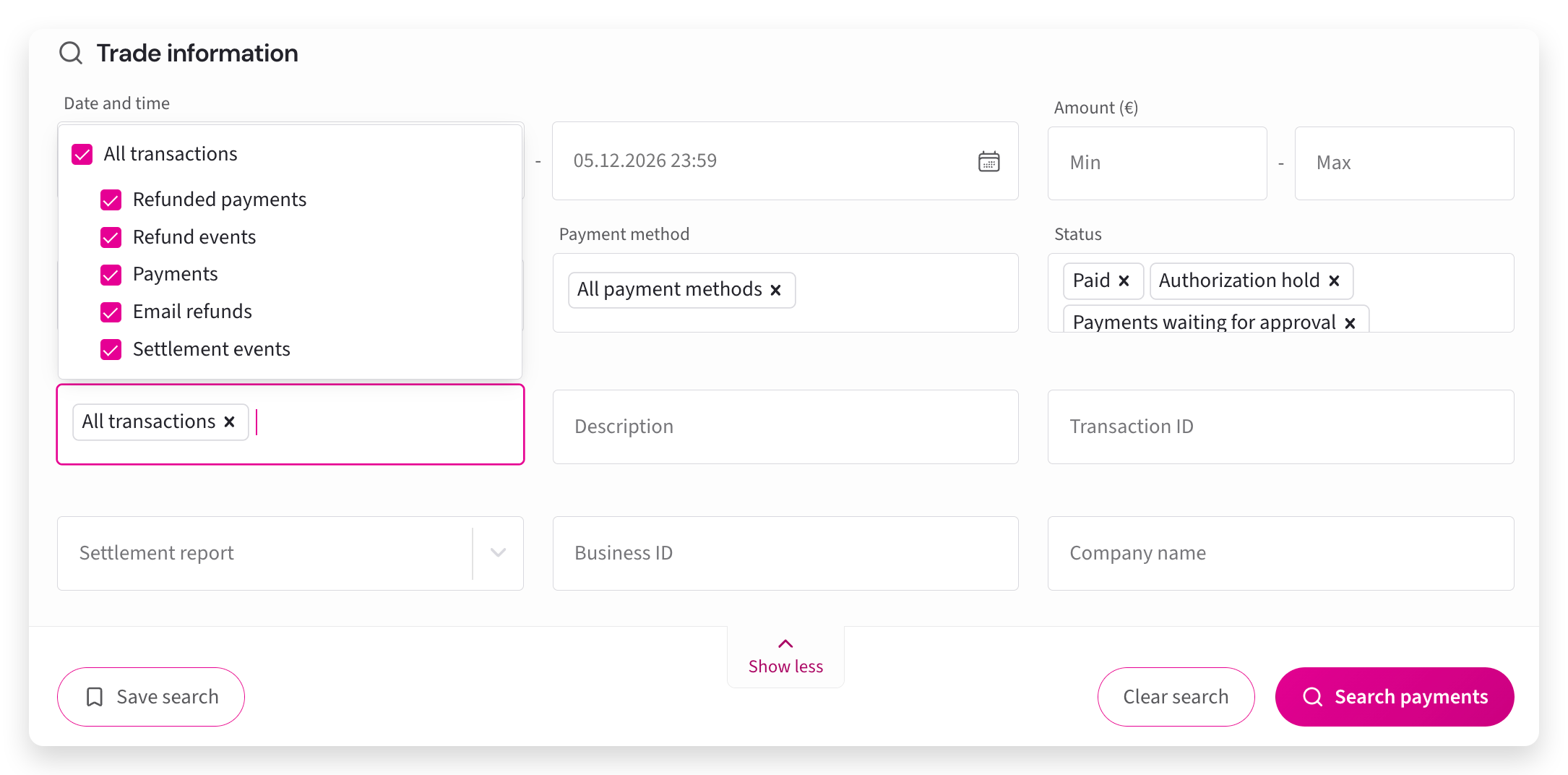
Payment event types help you filter and identify specific actions that occur during a payment's lifecycle. You can review completed payments, refunds, settlement activity, and automated system events to understand how each transaction progressed. Using these filters makes it easier to track issues, confirm payment status, and manage day-to-day reconciliation without needing to search through every transaction manually.
Event type descriptions
In the Payments view, you can use the Events type field to filter payments based on what has happened to them. At least one event type must be selected for the search. The descriptions below explain what each option includes so you can choose the right filter for your needs.
All Events: Searches for every available event type.
Payments: Searches for payments. Use the Status field to narrow the results to the payment status you want to find.
Refunded payments: Searches for payments that have already been refunded.
Refund events: Searches only for refund events, not the original payments.
Email refunds: Searches for refunds where the customer received an email asking them to provide their account number through a link.
Settlement events: Searches for settlement related events.
Waiting for approval refunds: Visible only if refunds require approval from two users. Searches for initiated refunds that are waiting for approval before they can proceed.
Created by system: Visible only if you have double payments automatically paid out to you. Searches for double payments made by customers.