A payment link lets you send a secure payment request directly to your customer by email, even without a full online checkout. You can create the link in the Merchant Panel and the customer can pay safely on Paytrail’s payment page using their preferred payment method. It’s a quick and flexible way to collect individual payments and keep your order process running smoothly.
Step by step: Create a payment link in the Merchant Panel
- Sign in to the Merchant Panel.
- From the left-hand menu, select the Create a new payment option under Payments.

- Enter the order information in the Create new payment view.
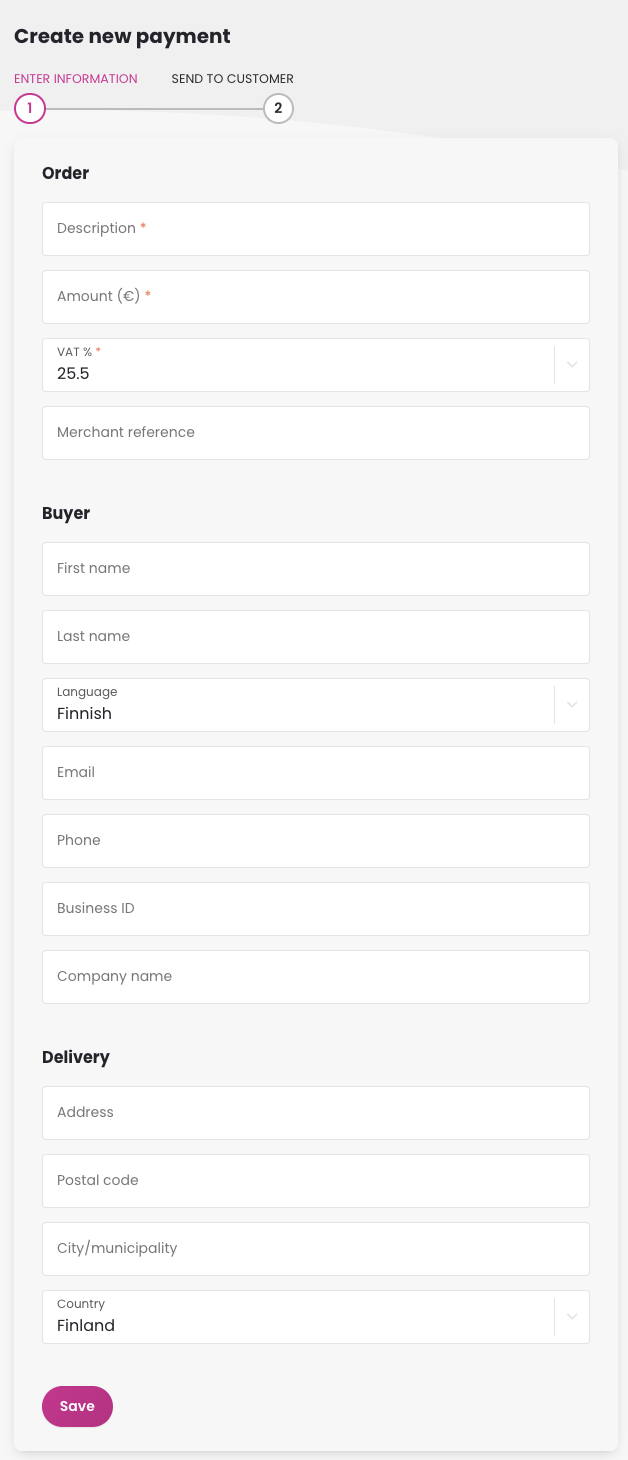
- Click Save to generate the payment link.
- In the next view, review the payment details. Choose the message language, enter the customer’s email address, and add a comment if needed. When everything is ready, select Send to email the payment instructions and link directly to the customer.
- Alternatively, if you prefer to use your own email template, select Copy payment info to clipboard, then paste the details into your message and send it yourself.
The customer should complete the payment through Paytrail’s payment page using their preferred payment method.
What the customer receives
The customer receives an email from Paytrail that includes the payment details and a secure payment link. The link opens Paytrail’s payment page, where the customer can safely choose a payment method and complete the payment.
The email includes:
- The merchant name
- The payment amount and reference
- A secure payment link to Paytrail’s payment page
- An optional comment added by the merchant
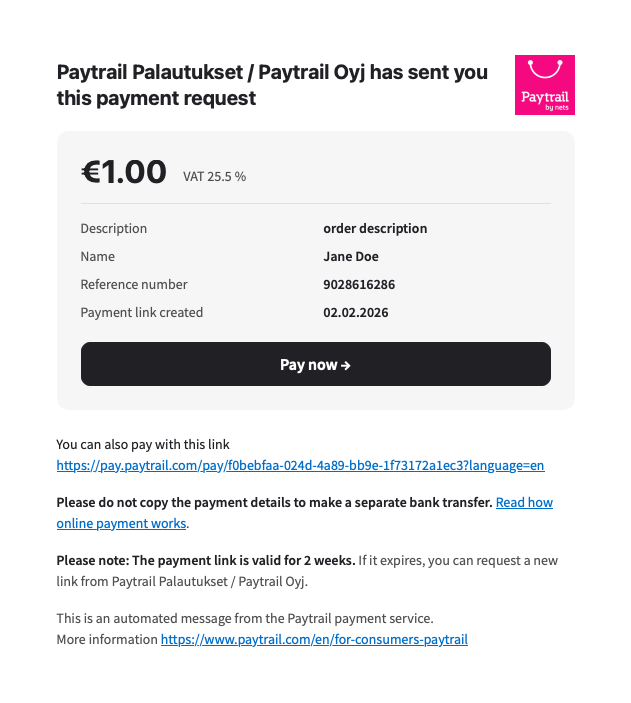
The payment link is valid for two weeks. If the customer clicks the link, selects a payment method, and cancels before paying, the link becomes inactive and must be recreated.