Find your Merchant ID and Secret key in the Merchant Panel to connect Paytrail’s payment service with your online store platform. These credentials are required when configuring your store’s payment settings, and they only appear after your agreement is signed and the service is activated. Once active, you can view and copy them from the Merchant Panel.
Step-by-step: Retrieve your credentials
- Sign in to the Merchant Panel.
- From the left-hand menu, select Merchant account.
- Find your Merchant ID under Merchant ID.
- To display your Secret key, press the eye icon.
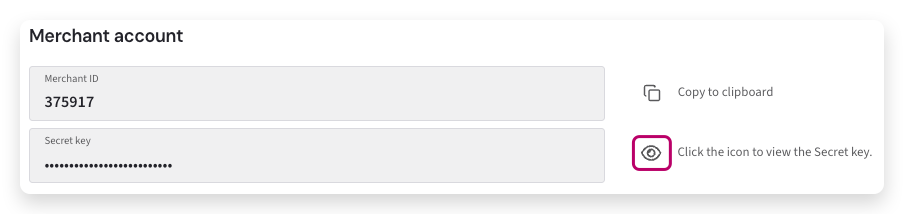
- Copy the entire Secret key using the clipboard icon to avoid missing characters or adding extra spaces.
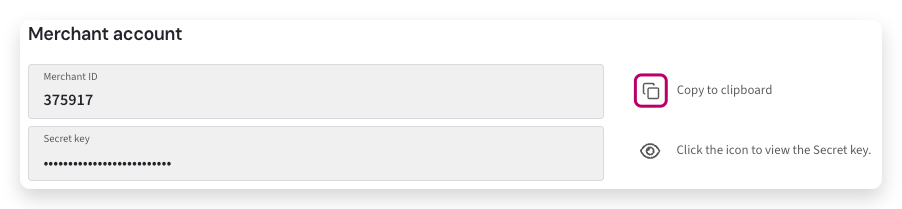
- Enter the Merchant ID and the Secret key in your online store’s admin dashboard.