Settlement reports give you a clear overview of payouts, fees, refunds and the payments included in each settlement. In the Merchant panel you can view your latest reports or search your full report history using filters like date, settlement number or custom date ranges. You can also enable transaction-specific details to display itemized payment information in reports generated after the setting is turned on.
Settlement reports can also be sent automatically by email. See instructions on how to receive them.
View settlement reports
Viewing settlement reports in the Merchant panel can be done in two ways. You can quickly see your latest reports on the front page, or you can open the full Settlement reports view to access all search and filtering options. If you want itemized transaction details to appear in your reports, you can enable them in your settlement settings before viewing.
Transaction-specific details are disabled by default. You can turn them on at any time, and the additional information will appear only in reports generated after the setting is enabled.
- From the left-hand menu, select Settings.
- Turn on Transaction specific listing.

View reports on the front page
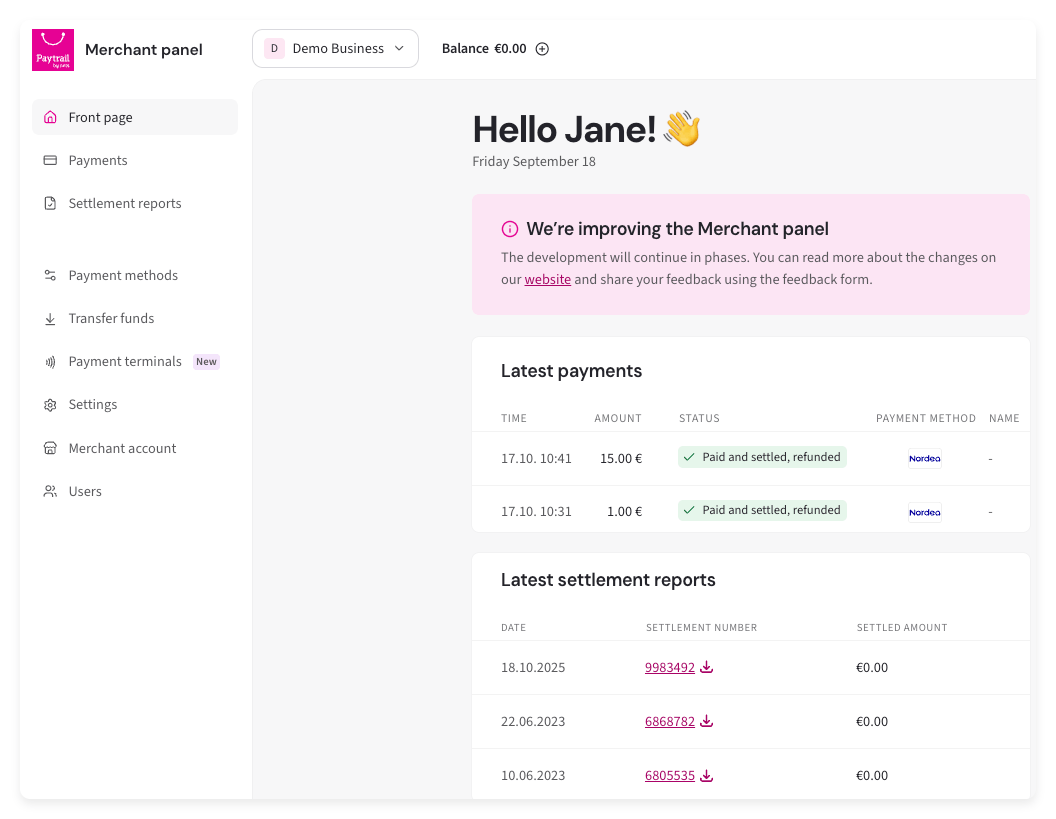
Your latest settlement reports appear on the front page of the Merchant panel in a list showing the settlement date, settlement amount and settlement number. Selecting a settlement number downloads a PDF version of the report.
View settlement reports with search filters
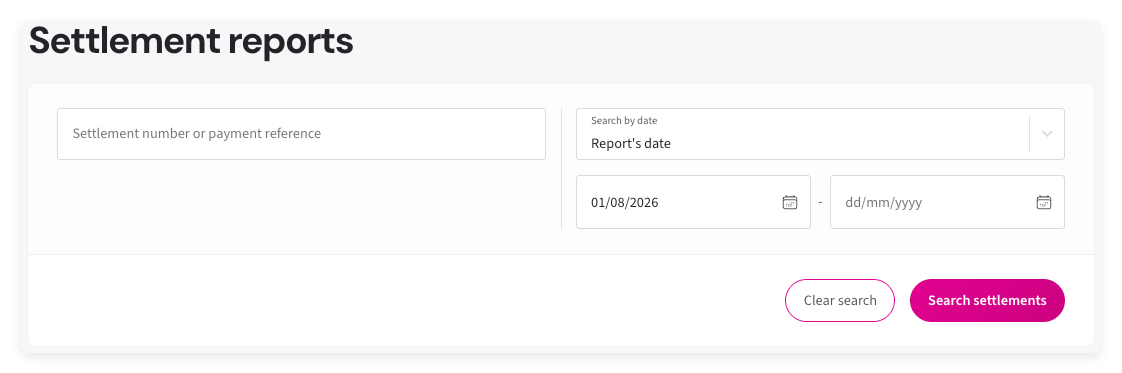
You can view all your settlement reports and search by settlement date, report date, settlement number or a custom date range such as an entire month.
- From the left-hand menu, select Settlement reports.
- Use the search fields to filter reports by settlement date, report date, settlement number or date range.
- Settlement date shows settlements based on the date they were paid out.
- Report date shows settlements based on the date the report was generated.
-
Once search filters have been set, select Search settlements.
A summary will display that shows the number of settlements and total amount of the settlements, number of payments and total amount, number of refunds and total amount of refunds, and transaction and commission fees.
In the Interim settlements section, you can take the following actions:
-
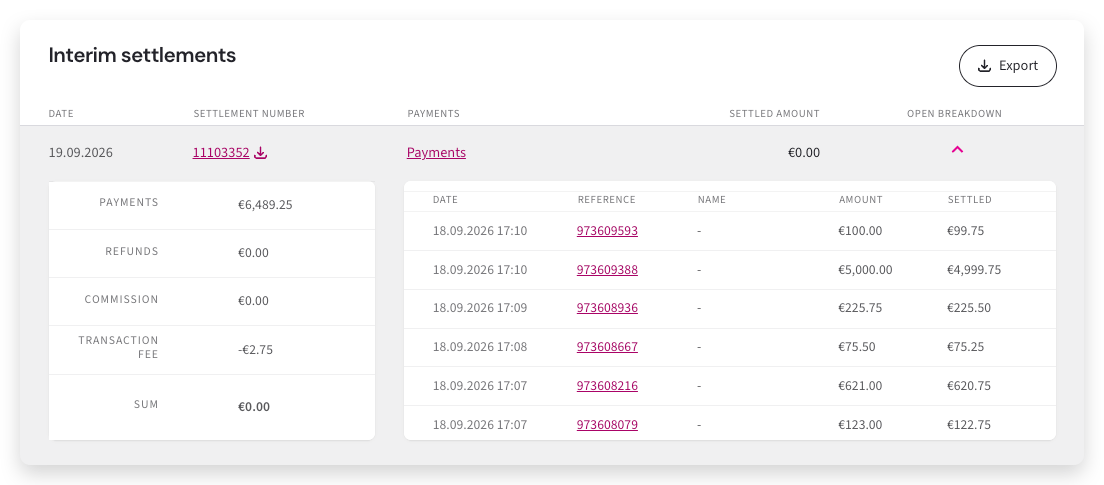
Drop-down arrow for a settlement: view totals for payments, refunds, commissions, and transaction fees, along with the list of payments included in the settlement.
-
Payments link: open the Payments view filtered to the selected settlement. You can further filter payments, for example by payment method. Event type is required.
Use the Description field if needed:
- Enter "Transaktiomaksut ja provisiot" to view only transaction fees and commissions.
- Enter "Tilisiirto kauppiaan tilille" to view only settled payout amounts.
- Export or the settlement number link: download the selected settlement or export multiple settlement reports. See instructions on how to download settlement and payment reports.
-
Drop-down arrow for a settlement: view totals for payments, refunds, commissions, and transaction fees, along with the list of payments included in the settlement.