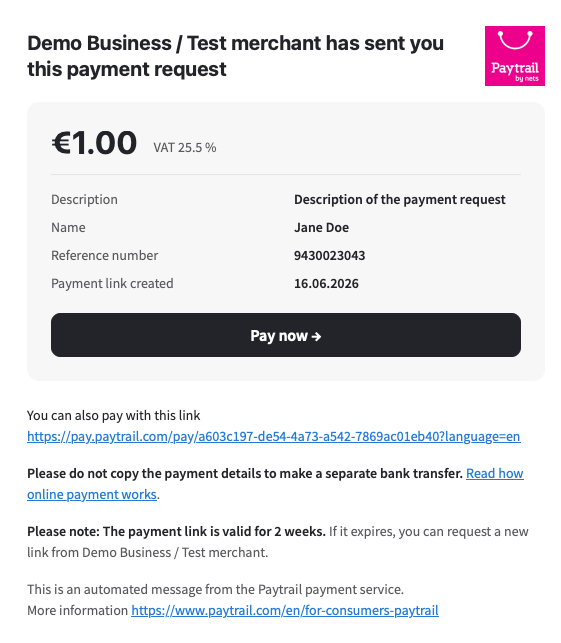
Learn what Paytrail payment link emails look like and what information they contain. Payment link emails are sent when a business requests payment through Paytrail using a secure payment link. The email includes the payment amount, payment details, a reference number, and a link to complete the payment.
Only pay a payment request if you recognize the business and the payment details match what you expect to pay.
Payment link email example
The example below shows a payment link email sent through Paytrail.
How to verify a payment link email
- Check that you recognize the business that sent the payment request.
- Review the amount and description before paying.
- Make sure the payment link leads to a Paytrail payment page.
- If you are unsure why you received the payment request, contact the business directly before making a payment.